Blueprint Builder Tools & Checklists
Practical workflows for [PC RELEASE] Blueprint! plots — permissions, performance, and session checklists.
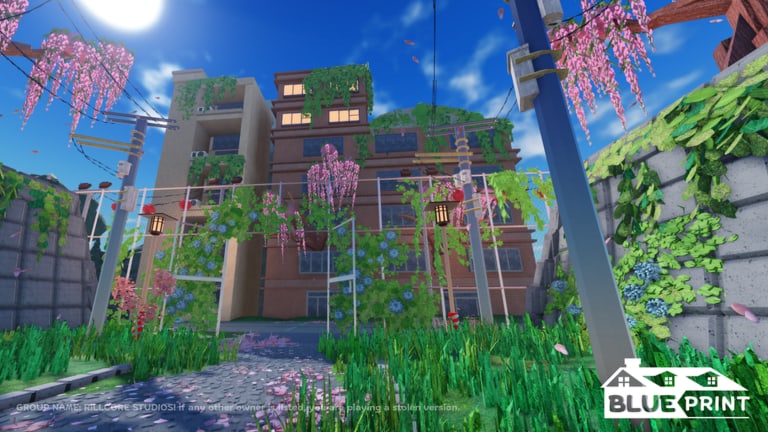
The Tools hub turns Blueprint’s rich builder into a repeatable workflow. [PC RELEASE] Blueprint! is a free Roblox sandbox from Riley (rillcore) / Rillcore Studios with no money system and no gamepasses. You already have freecam, precise placement, advanced movement (including walls), roof clipping, Edge Scroll, multi-select custom saves, pools, basements, decals, palettes, and atmosphere controls—this page focuses on how to use them without chaos on a 1024 x 1024 stud plot with up to 15 floors.
Feature priority rankings live on the Tier List hub. First-hour orientation sits on Getting Started. Patch expectations sit on Updates.
Practical build checklist (solo or co-op)
- Confirm the official place before you invest hours — Official Links and the Players hub explain fakes.
- Set the story in one sentence (coastal villa, transit hub, vertical mall) so collaborators share a target.
- Block massing with floors and walls using precise placement; keep a centerline or courtyard void for light.
- Choose roof families early (hollow gable, hip, flat, scillion) and dial custom overhangs on four sides; keep the roof clipping tool handy.
- Drop basements and pools before final landscape so structure and swimable water negotiate edges once.
- Apply saved palettes, then decals/paintings (any ID), then atmosphere / lighting (realistic vs soft).
- Multi-select custom-save reusable kits (stair cores, window bays, roof modules).
- Press B to leave build mode, walk the plot, then freecam the roof ridges and upper floors.
- Invite friends only after permissions are intentional (next section).
- After Discord patches, re-run a mini test on roofs, paint copy, and materials (Updates).
Plot permission tips (online co-op)
Blueprint supports building with friends; each plot can be its own server. Permissions mistakes cause griefing or blocked sessions:
- Decide a plot owner who publishes the “source of truth” save.
- Grant edit rights only to people on voice or Discord with you for that session.
- For open house visits, prefer view/visit flows over blanket edit access.
- Name multi-select saves with owner initials and date so merges are obvious.
- Agree who may change atmosphere and master palettes—lighting fights waste evenings.
- If someone needs only furniture dressing, limit them to item placement zones you already framed.
- When a collaborator leaves the project, revoke permissions before hosting public visits.
Co-op is a feature, not a reason to install executors. See the Scripts hub for safety context.
Performance tips for large plots
Tall, dense builds stress clients—especially during early PC release:
- Work in zones. Finish one wing or floor plate before sprinkling 900+ catalog items everywhere.
- Reuse multi-select kits instead of unique meshes on every repeat balcony.
- Budget transparent water and heavy decals. Pools and any-ID images look great; dozens of unique high-res decals on one façade can hitch mid-range PCs.
- Freecam with purpose. Long freecam flights through unculled interiors cost more than walking with B mode for circulation checks.
- Edge Scroll helps along long elevations without constantly resetting the camera pivot.
- Atmosphere experiments belong on a copy kit; do not thrash lighting on the only save mid-stream.
- Leaderboard chasing (liked / visited / playtime / items) should not force particle spam that tanks visitors’ FPS.
- Keep a lightweight lobby pad near the spawn so guests can load before touring heavy galleries.
If a session stutters after a patch, test on a blank roof sample before blaming your entire tower—roof and material bugs are known early-dev themes.
UI and movement habits that save time
- Toggle dark / light UI for long night detailing sessions.
- Use advanced movement on walls to fix alignment instead of deleting whole runs.
- Combine precise placement with occasional freecam orthographic-style checks along ridges.
- Skylights after overhangs—not before—so openings match final eaves.
- Swim-test pools before sealing glass railings around them.
Mobile wait status
Blueprint’s public posture is PC early release first, with mobile coming later. Do not trust clone places that advertise “Blueprint mobile VIP.” When mobile ships, expect UI affordances and performance budgets to differ; this Tools hub will note workflow changes after official announcements on Discord (https://discord.gg/U8f3Tynr99) and Carrd (https://rillcore.carrd.co/).
Until then, treat PC as the supported creative desk: large plots, freecam filming, and precise roof work.
What this hub is not
- Not a free Robux or code generator — see Codes and How to Redeem
- Not an exploit library — see Scripts
- Not a substitute for official features/bugs Google Docs linked from Carrd
Related pages
- Tier List Hub — S/A/B usefulness of build features
- Updates Hub — what to re-test after patches
- Players Hub — Discord, applications, fake games
- Official Links — verified URLs and IDs
- Guides Hub — expanding tutorials
Use this checklist at the start of every serious session. Blueprint already gives you the tools; discipline on permissions, saves, and performance is what finishes a 15-floor plot you are proud to put on liked leaderboards.
Frequently Asked Questions
Quick answers to the most common questions.
Does Blueprint require gamepasses for advanced tools?
No. Freecam, roofs, pools, saves, and other builder tools are part of the free sandbox. Paid unlocks are a scam signal.
How should I set plot permissions with friends?
Keep one owner for the source save, grant edit access only to active collaborators, and revoke rights when someone leaves the project.
Why does my large plot stutter?
Dense unique decals, excessive water, and unfinished zone sprawl add cost. Work in wings, reuse multi-select kits, and re-test after patches.
Is Blueprint on mobile yet?
Mobile is planned later. Early release focuses on PC. Ignore fake VIP mobile places that charge Robux.
What key leaves build mode?
The creator notes that B closes build mode so you can walk around and review the plot like a visitor.
Where do I report tool bugs?
Use the official Discord (https://discord.gg/U8f3Tynr99) with clear reproduction steps, and watch Carrd-linked bugs docs when available.