Blueprint Official Links
Verified destinations for [PC RELEASE] Blueprint! — game, Discord, Carrd, group, and wiki maps.
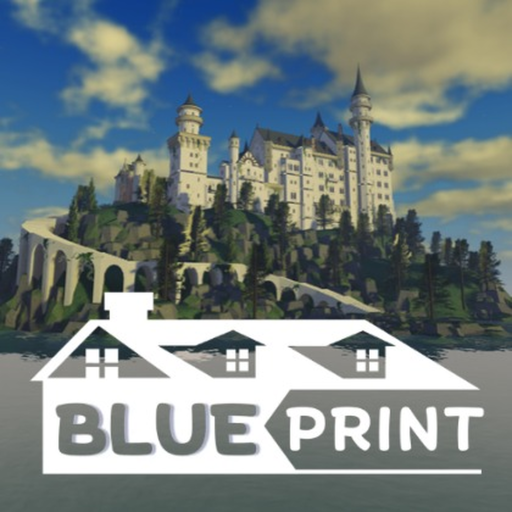
This Official Links hub collects verified destinations for [PC RELEASE] Blueprint!, the free Roblox building sandbox by Riley (rillcore) / Rillcore Studios. Bookmark this page when search results mix clones, fake Discords, and paid lookalikes. Blueprint has no money system and no gamepasses—anything that sells access to the sandbox itself is not official.
Play Blueprint (official)
- Roblox experience: https://www.roblox.com/games/100585702978890/Blueprint
- Universe ID:
9505284283 - Title cue: look for [PC RELEASE] Blueprint! on the live page
- Platform focus: PC early release / early development; mobile planned later
Launch from this URL after updates so you do not reopen a scam place stuck in your Continue sorting.
Community and studio
- Discord: https://discord.gg/U8f3Tynr99 — announcements, bugs, applications
- Carrd: https://rillcore.carrd.co/ — hub for official feature and bugs Google Docs when linked
- Roblox group: Rillcore Studios — group ID 8133941
- Social signal: TikTok
@rillcorefor short patch and feature clips
Applications discussed in community channels include tester (18+), furniture modeler, and content creator. Details and scam warnings: Players hub.
What Blueprint is (fact sheet)
- Free building sandbox with friends (online co-op, plot permissions)
- Plot size 1024 x 1024 studs; up to 15 floors; plots can be their own servers
- Tools include hollow gable / hip / flat / scillion roofs, custom overhangs, skylights, swimable pools, basements, freecam, multi-select custom saves, decals/paintings (any ID), color wheel + saved palettes, atmosphere/lighting, dark/light UI, precise placement, advanced movement, roof clipping, Edge Scroll, 900+ items, leaderboards, profiles
- Creator tip: B closes build mode so you can walk around
Deep rankings of those tools: Tier List hub. Practical checklist: Tools hub.
Wiki hubs (internal map)
Use these locale-agnostic paths across the site:
- Guides Hub — walkthroughs and how-tos; start with Getting Started
- Codes Hub — honest promo-code status (none widely published yet)
- How to Redeem Codes — safe redemption habits if codes ship
- Scripts Hub — safety-first page; no exploit payloads
- Tier List Hub — build-feature usefulness tiers
- Updates Hub — early PC posture and bug themes
- Players Hub — Discord, applications, fake-game checks
- Tools Hub — build checklist, permissions, performance, mobile wait status
This fan wiki helps players navigate official info; it is not a replacement for Discord patch notes or Roblox moderation.
Trust rules
- Prefer the place ID and group ID above over thumbnail clones.
- Prefer Discord invite
U8f3Tynr99over lookalike servers. - Prefer Carrd-linked docs over random “Blueprint Trello” screenshots.
- Reject Robux gates, currency generators, and executor key shops.
- After every major patch, re-open the official URL and skim Updates.
Related reading for new arrivals
If you just installed Roblox on PC and joined Blueprint for the first time, read Getting Started, then skim Tools before inviting friends. If a video promised working codes or scripts, read Codes and Scripts before clicking anything.
Stay on official rails, build big plots, and share feedback where Riley can actually see it.
Frequently Asked Questions
Quick answers to the most common questions.
Is this wiki official?
No. This is a fan-made wiki that points to official Roblox, Discord, Carrd, and Rillcore Studios destinations. Patch truth still comes from Riley's channels.
What is the real Blueprint game URL?
https://www.roblox.com/games/100585702978890/Blueprint — universe ID 9505284283. Avoid paid clones with similar names.
Where is the Discord invite?
https://discord.gg/U8f3Tynr99 — confirm it against Carrd if you are unsure about a reposted invite.
Does Blueprint have gamepasses?
No. The official sandbox has no money system and no gamepasses. Robux paywalls are a scam signal.
Where can I find feature and bugs docs?
Start at https://rillcore.carrd.co/ for links to official Google Docs when the studio publishes them, and follow Discord for live notes.